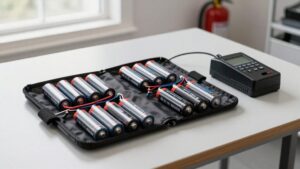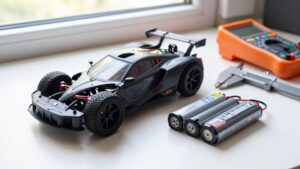
How to Choose a LiPo Battery Charger: Watts, Ports and Features
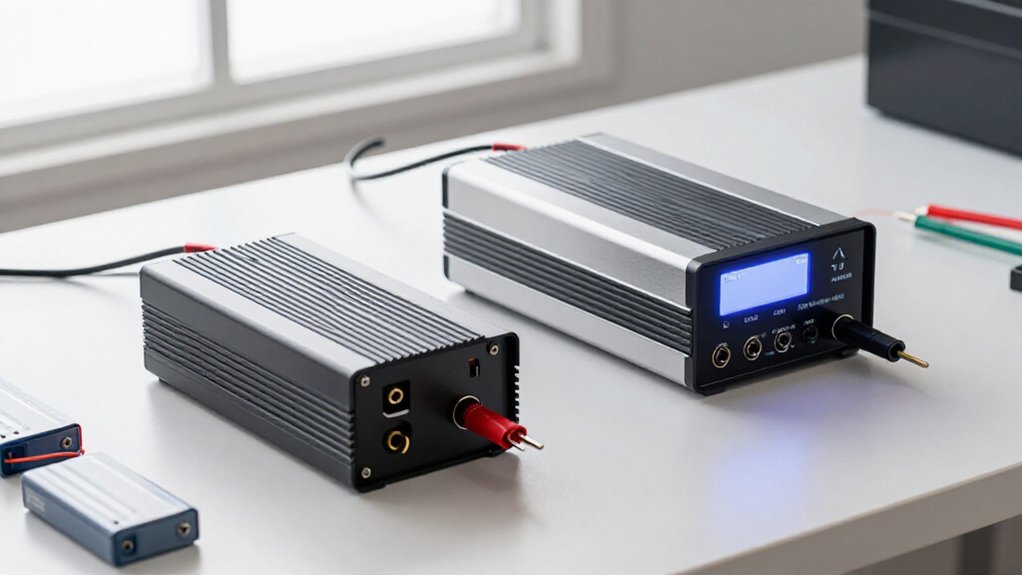
Choose a LiPo charger with enough wattage and independent ports for packs.
For a 6S battery, 5A charging needs about 126W at 25.2V, so a 100W unit won’t sustain 5A near full charge.
Match chemistry, cell count, and approved charge rate; use balance mode with both leads connected.
Compare AC/DC limits, balance current, cooling, and thermal protection. Check firmware support and warranty service.
These details can help you make a confident choice and assess the features that matter.
Charger Wattage and Ports
When choosing charger wattage, calculate the power needed at the pack’s full-charge voltage: watts = voltage × current, so a 6S battery charging at 5A requires about 126W (25.2V × 5A). Treat that figure as a minimum, not a target: a 100W unit can’t sustain 5A as the pack approaches full voltage.
Check whether the listed rating applies per port or is shared; a shared supply may lower each port’s available output when you charge multiple batteries. Also verify each channel’s limits under simultaneous operation, not merely the charger’s headline rating.
A single-output charger serves one battery at a time. A dual-channel model can manage two independently, including packs with different cell counts or voltages.
Multi-channel units support additional separate packs without a parallel board. By contrast, a parallel board electrically combines compatible batteries, which must match in chemistry and cell count and have closely matched voltages. Choose channel count and power distribution to suit your charging setup.
FPV Pack Charging Needs
For FPV packs, match the charger’s chemistry and cell-count settings to the battery: a standard 6S LiPo reaches 25.2V, while a 4S reaches 16.8V. Confirm the charger supports your pack’s cell count before connecting it; an incorrect setting can prevent a charge.
Estimate power from full-charge voltage and selected current when sizing the unit: a 6S 1300mAh pack at 1C needs about 33W, while a 6S 5000mAh pack charged at 5A needs about 126W. Choose enough independent outputs for your routine; dual-channel models handle two different packs simultaneously, and quad-channel models handle four.
For charging, select LiPo Balance Charge and connect both the main and balance leads. If you won’t fly soon, use Storage mode, typically 3.8–3.85V per cell, rather than leaving packs fully charged.
Charge-Rate Accuracy
Calculate charge current from the pack’s capacity and approved C-rate: a 5Ah battery at 1C calls for 5A. Use the label’s charge-rate limit; 1C is conservative, while 2C needs explicit approval. Don’t treat discharge C-rating as permission to charge faster: excess current can overheat your pack or shorten its life.
| Charge choice | Current |
|---|---|
| 1C | 5A |
| 2C | Only if approved |
Check both charger limits: as pack voltage rises, available current can fall. A 100W unit supplies at most about 3.97A at 25.2V, before losses, so it can’t deliver the nominal 5A throughout.
Estimate ideal time by dividing capacity in amp-hours by current in amps: 5Ah at 5A takes about one hour in actual use. Balancing and charge taper extend that estimate.
AC/DC Power Options
An AC charger plugs into household mains, so check that its voltage rating matches your region. A DC charger needs an external supply but can offer greater output, while an AC/DC model gives you both options; compare its input and output limits. Match the supply’s voltage and wattage to the charger, since excess supply capacity won’t raise the charger’s own power limit.
AC Charger Convenience
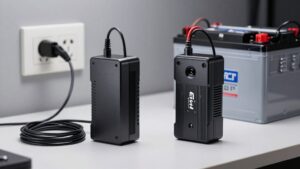
When charging at home, an AC charger’s built-in power supply lets you plug it directly into a compatible outlet, but you should check its voltage rating against your mains supply: a plug adapter changes the connector, not the voltage. A 100 to 240V model supports common regional mains voltages; narrower-rated units may not. Check the label before connecting, since plug shape alone doesn’t confirm electrical compatibility.
The integrated supply eliminates a separate PSU, simplifying routine home charging. Still, AC output may fall below the charger’s headline maximum. The HOTA D6 Pro, for example, provides up to 100W per channel on AC. Compare AC-specific output with your port and battery requirements; don’t assume the advertised maximum applies to every operating mode under your intended charging conditions.
DC Charger Power
AC charging keeps home setup simple, but a charger’s DC input can deliver more power by bypassing its built-in supply.
An AC charger includes a supply for direct wall use; a DC charger requires an external source, such as a dedicated power supply or vehicle battery. Many AC/DC models also accept DC input, which bypasses the internal supply. Check ratings: advertised maximum output may apply only with DC power. For example, HOTA D6 Pro reaches 650W with external DC power, but AC input limits it to 100W per channel.
Choose a supply within the charger’s input voltage range, with wattage that meets or exceeds your intended load. A larger supply won’t increase the charger’s output ceiling. Confirm connector compatibility and source capacity before charging.
AC/DC Charger Flexibility
AC/DC chargers combine the convenience of a built-in supply for wall power with the option to use an external DC source in the field. At home, you can plug the charger into an outlet without carrying a power unit. When you travel to a site, you can switch to a battery or DC supply.
Compared with AC models, DC chargers often weigh less, occupy less space, and support higher output, but they require an external source. Many AC/DC models also accept DC input to bypass the supply and achieve rated performance. For example, the HOTA D6 Pro delivers up to 100 W per channel on AC, while external DC operation enables higher output. This design lets you adapt charging to where you fly.
Matching Your Power Supply
Start by matching the charger’s input to your power source: an AC model has a built-in supply for household mains, while a DC model needs a separate source, such as a dedicated PSU or vehicle battery. Before connecting it, verify that its input voltage matches your mains or DC source. A plug adapter changes the connector shape, not voltage; running a 110V-only charger from 220V can damage it.
Many AC/DC chargers provide less output power on AC than on DC, so compare each mode’s rating before you buy.
For DC operation, choose a PSU whose voltage falls within the charger’s specified input range and whose wattage supports your intended load. An undersized supply may overheat; a higher-powered PSU won’t raise the charger’s output limit.
For home use, AC offers convenience. For field use, a DC charger with a suitable external supply can reduce carried weight and improve portability. Check ratings against your planned charging power, not just battery capacity alone.
Balance Current Performance
Balance current, measured in milliamps, is the current your charger uses to equalize cell voltages during a balance charge. Higher balance current can help cells catch up faster and reduce charging time when one cell reaches its voltage limit early. Compare the charger’s balance-current rating with your pack’s needs, since a low rating can slow balancing even if you increase the main charge current.
Balance Current Basics
During a balance charge, the charger uses balance current—typically rated in milliamps—to equalize individual cell voltages. You can compare this rating across chargers: HOTA D6 Pro and HOTA S6 list 1.6A, while SkyRC D100 lists 200mA. Lower-cost models may provide about 0.2A per cell.
Ratings describe current used by the balancing circuit, not the main charge output. If one cell reaches 4.20V before the others, the charger may limit charge current while remaining cells approach that voltage. Raising the main charge current doesn’t necessarily raise balance current; these are separate specifications. Check the balance-current rating when comparing chargers, and confirm whether a stated value applies per cell or to the pack. That distinction clarifies how the charger manages cell voltage differences.
Impact on Charging Time
How much balance current a charger supplies can affect how quickly it completes a charge. When one cell reaches 4.20V before the others, low balance current can extend the final stage. The charger may reduce its main charging current while lower-voltage cells catch up, so the pack spends longer near full charge.
A higher main charging current won’t necessarily solve this delay: balance current is a separate limit. Compare charger specifications rather than assuming wattage alone predicts charge time.
For example, the HOTA D6 Pro and HOTA S6 support 1.6A balance current, while the SkyRC D100 provides 200mA. A reported 6S 1300mAh pack charged in under 25 minutes on the D6 Pro, versus about 50 minutes on the D100 at 2C. This difference matters.
Cell Balancing Performance
A charger’s balance current is the current it uses to equalize individual cell voltages, typically specified in milliamps. This rating describes balancing performance, not the charger’s main charging output. When one cell reaches 4.20 V before the others, the charger may reduce its main current while lower-voltage cells catch up. The balance circuit must then correct the voltage difference, so its current affects how long this phase lasts.
Ratings vary considerably: the HOTA S6 and HOTA D6 Pro are listed at 1.6 A, whereas the SkyRC D100 is listed at 200 mA. Some lower-cost chargers provide about 0.2 A per cell, potentially extending balancing. Raising the charging current won’t necessarily raise balance current; compare the stated balance-current specification separately. These figures describe distinct functions.
Choosing Adequate Balance Current
Beyond its stated balance-current rating, a charger’s performance depends on how quickly it can correct voltage differences between cells. Balance current is what your charger uses to equalize cell voltages during a balance charge, in milliamps (mA). A higher rating can shorten charging when cells are uneven.
Entry-level models may provide about 0.2A (200mA) per cell; the HOTA S6 and D6 Pro are cited at 1.6A. The D6 Pro’s 1.6A balance current charged a 6S 1300mAh pack in under 25 minutes, compared with 50 minutes for the SkyRC D100’s 200mA rating. Check balance current separately from main charge current: raising the latter doesn’t necessarily raise the former. You may pay more for stronger balancing, so match the rating to pack size and cell imbalance.
Balance Plug Standards
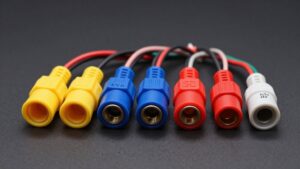
Balance plugs connect each LiPo cell to the charger, allowing it to monitor individual cell voltages and balance the pack. Match your battery’s balance plug to the charger’s balance port, and verify that it provides connections for the pack’s cell count. A compatible main power lead doesn’t confirm balance-plug fit; check both interfaces before charging.
During Balance Charge mode, use the balance lead alongside the main charging lead on multi-cell packs. For parallel charging, confirm that every pack has compatible balance connectors, the same chemistry, and the same cell count. Connector formats can vary, so don’t assume that a plug will fit merely because the battery’s cell count matches the charger’s capacity. Select an adapter only when wiring and pin order are correct electrically.
Warranty and Repair Support
After confirming the charger’s balance connections, check its warranty length and defect coverage, since terms vary by manufacturer and model. Before you buy, identify who handles repairs—the seller or manufacturer—and whether that service is available in your region. Read the exclusions and verify that coverage includes the built-in power supply, display, ports, and other charger components; a general defect statement may not specify each part.
Keep your receipt, and record the model and serial number so you can provide both when you request service. If the charger shows damage or operates abnormally, stop using it and contact support before shipping it for inspection. Follow the provider’s instructions for packaging and return authorization, and clarify any diagnostic, shipping, or labor charges in advance. These checks help you assess repair access and potential costs, not just the stated warranty period.
Firmware Update Support
Check whether the manufacturer provides firmware updates for the specific charger model, since updates can improve its software and user interface. Treat update availability as a model-specific feature, not an assumption based on brand or price. The SkyRC D200Neo, for example, offers Bluetooth, which may connect you to companion software; that connection alone doesn’t confirm firmware updates.
- Ask whether your exact model receives updates.
- Check supported operating systems and required connection hardware.
- Confirm update compatibility with your charger revision.
- Verify instructions and support availability with the manufacturer.
Confirm requirements with the manufacturer before buying. If updates matter to you, seek official guidance rather than assuming Bluetooth enables them for your specific charger model and software version.
Thermal Protection and Cooling
Because high-power charging generates substantial heat, choose a charger with effective cooling, such as fans or heat sinks, and keep its airflow unobstructed. Check the charger’s temperature-monitoring and thermal-shutdown features; they can identify unsafe heating before damage occurs. Also assess the external power supply: an underpowered unit may overheat when the charger draws peak power. Use these checks:
- Confirm fan vents remain clear during charging.
- Match supply output to the charger’s rated demand.
- Monitor battery temperature and stop if it becomes unusually hot.
- Disconnect immediately if the pack swells, smokes, or leaks.
Don’t rely on cooling alone: charge on a fire-resistant surface, follow the manufacturer’s limits, and investigate repeated thermal warnings before returning the charger or battery to service, only after inspection.
Conclusion
Choose a LiPo charger by matching its wattage and port count to your packs and charging routine. Check charge-rate accuracy, balance current, and plug compatibility, especially if you fly FPV packs with different cell counts. AC/DC input, effective cooling, and thermal protection affect where and how safely you can charge. Before buying, confirm firmware update support, warranty terms, and repair options. A charger that meets these requirements will serve your setup reliably and reduce avoidable charging risks.
LiPo Charge Time & Charger Wattage Checker
Estimate how long a LiPo pack takes to charge and check whether your charger's watts and amps cover the charge current you enter.